



Zoom introduces smarter meetings, seamless workspaces for richer collaboration, and intelligent calling
New capabilities, across meetings, phone, spaces, and chat, help teams turn conversations into completed work with less manual effort
Real progress from a conversation depends on full participation, capturing the right context in the moment, and having clear next steps when the meeting ends.
Today at Zoomtopia, Zoom’s annual customer conference, the company introduced new Zoom Workplace capabilities designed to make conversations richer, more inclusive, and easier to act on, including innovations for Zoom Meetings, Phone, Spaces, and more.
“Conversations are where everything begins, and we’re focused on making them even better. The features we’re developing today are aimed directly at closing the gap between what was discussed and what was actually delivered. From Voice Translator and Touch up my voice making meetings more inclusive, to My Notes turning conversations into action across your tool stack, to Virtual Agent Receptionist that can handle inbound inquiries, these innovations are designed to make sure every conversation is meaningful,” said Russell Dicker, chief product officer at Zoom.
Meetings that work for everyone
Great conversations require more than participation; they require exceptional audio and video quality, seamless accessibility, and frictionless collaboration. New capabilities in Zoom Meetings continue to raise the bar by reducing barriers, enabling participants to contribute to their full potential.
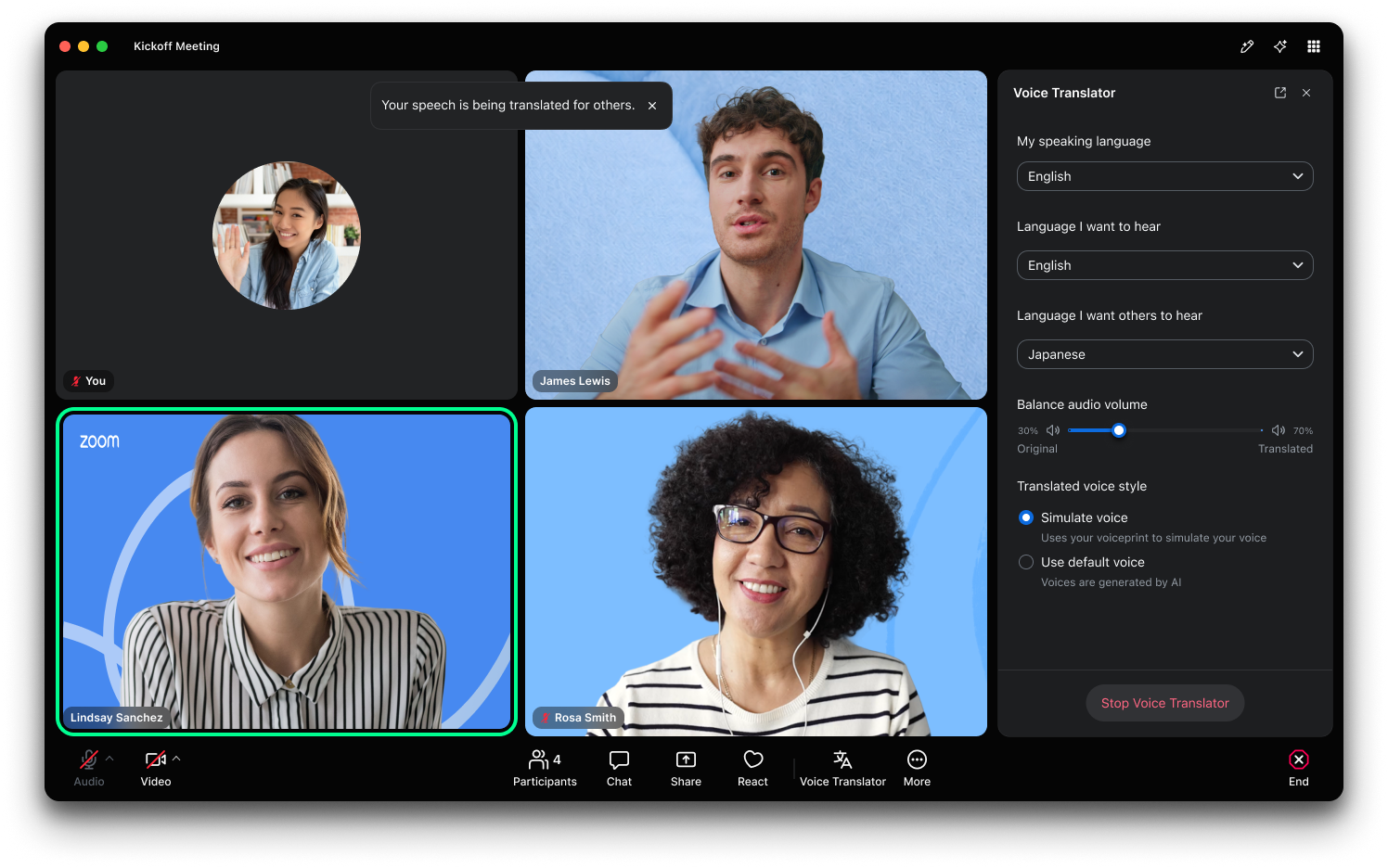
- Speak naturally across languages. With the voice translator add-on, Voice Translator now lets a speaker broadcast translated audio to all meeting participants at once, and voice cloning, expected soon, is designed to preserve elements of the speaker’s natural vocal identity in the translated language, so global conversations can feel more personal rather than mechanical. (Expected November 2026.)
- Sound your best. Touch up my voice allows the user to utilize on-device AI to smooth voice and accents in real time without changing what is said, how it’s said, or the language being spoken, so sentences land more clearly. (Expected December 2026.)
- Stay present on camera while presenting. Pose Correction uses on-device AI to help participants appear more engaged during quick glances at notes or a second screen. It works within a natural range and reverts smoothly, helping to keep the result authentic. (Expected December 2026.)
- Share motion without losing quality. As part of the Enhanced Media add-on, High Frame Rate Screen Sharing delivers fluid, cinema-quality playback when sharing video content, demos, or animations when Ultra HD (2160p) is enabled, helping to eliminate the choppiness that makes fast-moving visuals hard to follow. (Available now.)
- Get real-time guidance when it matters most. Live Meeting Assist proactively helps participants during the meeting itself, surfacing in-the-moment suggestions to help improve engagement, pacing, and clarity, so teams don’t have to wait until the debrief to know how they can improve. (Expected Q1 2027.)
- Start meetings with energy. Meeting Icebreakers let hosts generate and customize activities on the fly, including word clouds and quizzes, with built-in AI, natively inside the meeting. No app downloads, QR codes, or external links required. (Expected December 2026.)
Smarter hybrid workspaces that adapt to how people work
Hybrid work should feel seamless, no matter where people connect from. New Zoom Spaces capabilities are designed to make physical spaces more flexible, personal, and engaging.
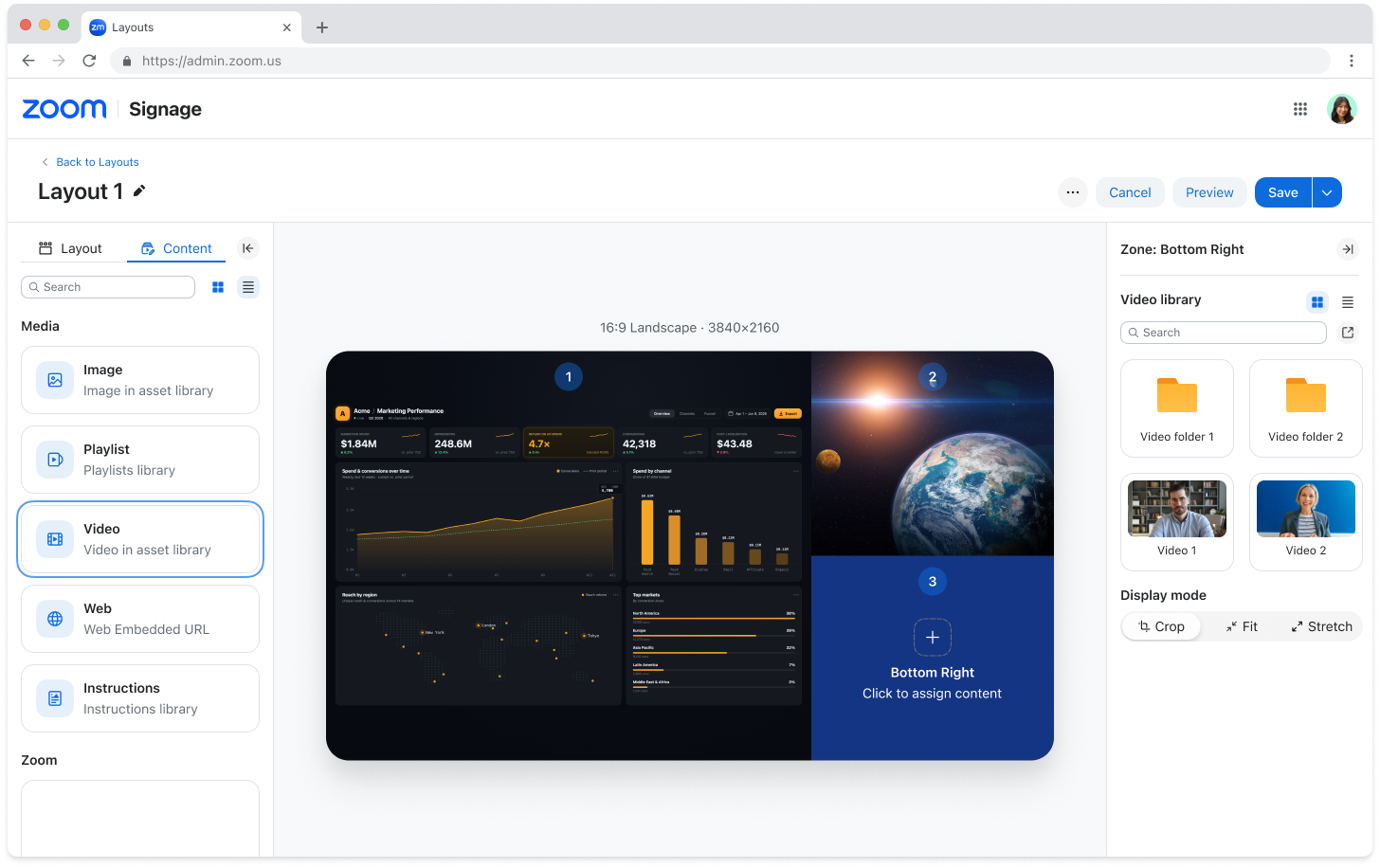
- Turn screens into a communication channel. Zoom Signage uses AI-powered content creation to quickly generate on-brand signage. Rule-based scheduling makes it easy to target the right content to the right screens, and live integrations can pull up-to-date data from sources like Power BI, Tableau, and Workvivo TV. (Expected November 2026.)
- Make shared rooms personal. Bring Your Own Zoom lets anyone scan a QR code or connect via the Zoom Workplace app to access a personal Zoom account on a shared Zoom Room. Calendar, upcoming meetings, and contacts appear as soon as a user signs in, and session data is automatically cleared after sign-out. (Expected December 2026.)
- Join meetings across platforms. Cross-platform meeting connectivity with Microsoft Teams brings room-quality interoperability, including HDMI content sharing, dual-display support, 1080p video, participant rosters, and read-only meeting chat. (Expected H1 2027.)
- Maximize your Cisco hardware with native Zoom Rooms. Leverage Zoom’s AI-first Zoom Rooms and Meetings experience on Cisco hardware. Native Zoom Rooms are now available on a wide range of compatible Cisco devices, letting customers maximize their existing equipment investments. (Available now.)
- Experience more lifelike meetings. Zoom recently launched Google Beam for Zoom, a joint development effort between Zoom, HP, and Google to create true-to-life immersive experiences. (Available now to customers in the US, Canada, UK, France, Germany, and Japan.)
A simpler, more focused experience
Complexity slows people down. New Zoom Workplace updates help strip away unnecessary friction so teams can focus on the conversation, not the interface.
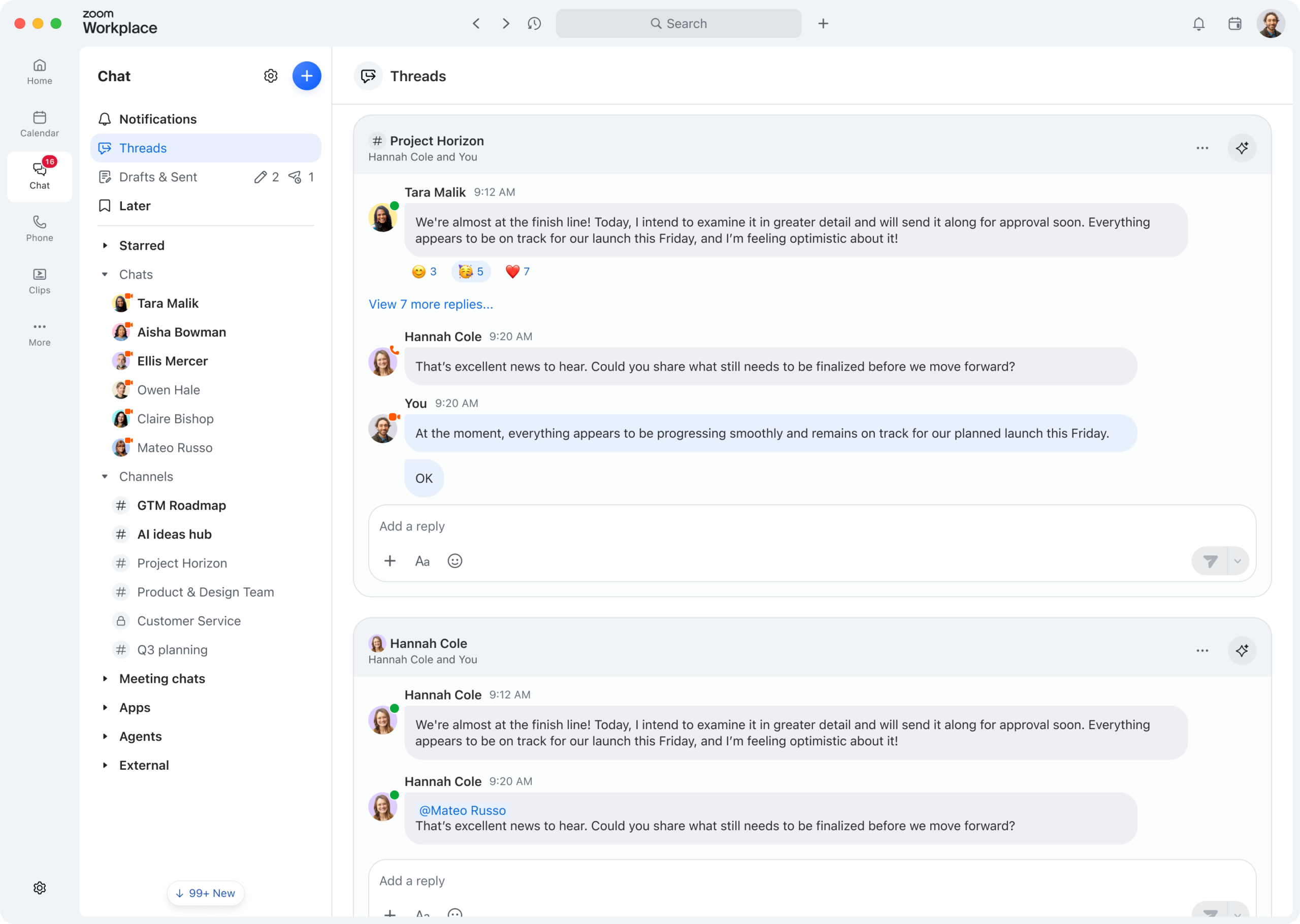
- Chat that surfaces what matters. Zoom Chat will soon offer a new experience for users, offering a shared space for people and agents. Agents can join the conversation, bring in relevant intelligence, and help move the work forward, right alongside teams. The Threads page aggregates replies across all conversations into a single inbox, while an Activity page brings mentions, reactions, and threads together in chronological order. A Chat experience that surfaces what teams need and filters what they don’t. (Expected Q1 2027.)
- A cleaner interface across the board. Simplified navigation, clearer account controls, a refreshed onboarding experience, and a more intuitive Zoom Phone interface help reduce the learning curve and daily friction. (Expected Q3-Q4 2026.)
Scale the work, scale the business
Missed or misrouted calls cost consumers and businesses critical time. With Zoom Phone, business owners can stay more accessible and help move their businesses forward by automating common inquiries and providing multiple ways to engage with them.
- Automate customer inquiries over text. SMS for Virtual Agent Receptionist handles common questions like pricing, hours, and availability, and helps close the loop faster with quotes, confirmations, and follow-ups. (Expected December 2026.)
- Screen and route calls intelligently. Call Screening for Virtual Agent Receptionist greets callers, gathers intent, and routes the calls that matter, like having an executive assistant for every call. (Expected December 2026.)
- Meet customers on WhatsApp. WhatsApp for Business Messaging Integration brings WhatsApp conversations into Zoom Phone, preserving enterprise controls. Connect using an existing phone number, manage templates and compliance from the admin portal, and support one-on-one WhatsApp conversations across desktop and mobile in Zoom Workplace. (Available now.)
Where each conversation leads somewhere
Conversations are where work begins. These Zoom Workplace capabilities help make conversations more natural for global teams, more engaging for every participant, and more actionable the moment they end. Combined with the unified context layer and expanded My Notes and ZoomMate capabilities also announced today at Zoomtopia, Zoom is helping to close the gap between what teams discuss and what they deliver.
Related News



Zoom Media Kit
Explore our Media Kit for essential information and resources to help you out.
Learn more